Orange and Green Dot in IPhone
Have you ever noticed in your iPhone that sometimes shows a green and a orange color dot at the top right corner. Have you ever wondered why it happens when you are doing certain actions. No worries, I will help you to get and answer to this question. These below feature pop up only in IOS 14.
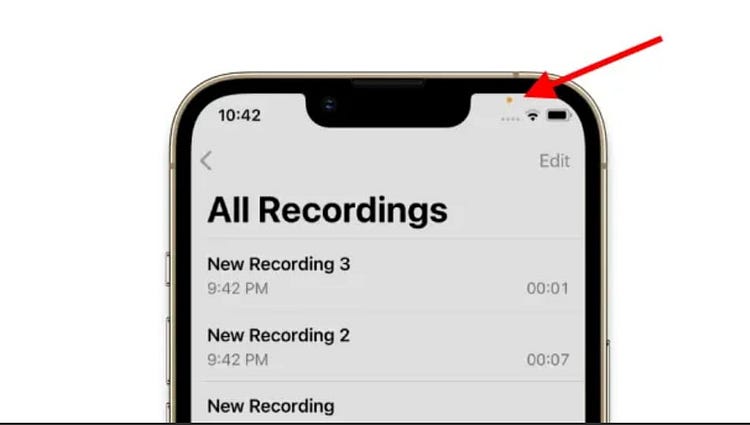
The Orange dot in your phone indicates that some app in your phone is using microphone or mic and it is recording your surrounding noise. This Orange dot will pop up when you are using Siri voice assistants, recoding voice notes, recording some sessions etc. This is in in built feature developed by Apple Inc and if you can want a small modifications can be done by going to Accessibility in the settings and choosing for an size and shape of the icon.
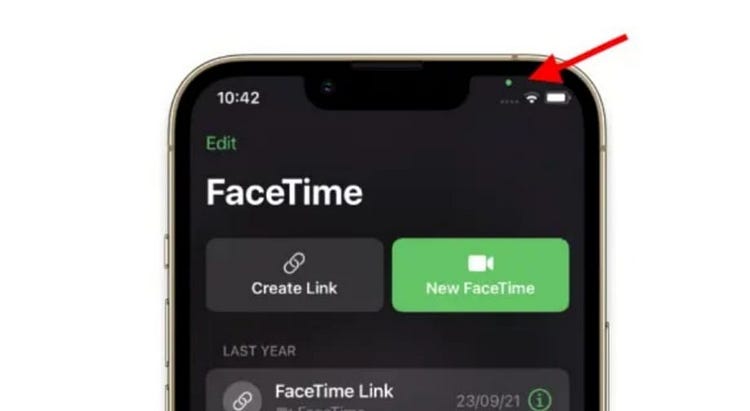
The Green dot appears when apps in your phones are using Camera. And, there is a 100 percent chance that they will also use microphone to record your audio. But in this above cases the Orange color will not pop up and only green color dot will pop up indicating that some app in your phone is recording.
Both of these above indication is from Apple indicating that some one is stealing your privacy and be caution about it. And, to know which apps is using it just go to settings >> permissions for apps and notifications or directly go to Control center in your phone to look for the recent activity. But, now Apple had brought an privacy report updates in there IOS 15 to solve this above issue.


ThankYou Sir Its Helpful
ReplyDelete