Google Mail’s New Integrated View
Google Mail’s New Integrated View
The Multinational company Google had recently announced in there blog post that it had launched a new view of Google mail in the web version. The Company is planning is making the User face more reliable and comfortable by bringing all to a single place. With help of this the suers can see there messages, bubble notifications from the people, hangouts messages, googel meeting and workspace.

This Integrated View is currently live and it is working in all chrome versions. To get this feature make sure that the chat option in your mail settings is ON.
To ON Chat options in your mail, go to Settings >> All Settings >> Chats & Meet. There you will find an option to turn on your chat on the left side of your mail underneath the more options. ON the toggle switch and then click switch.
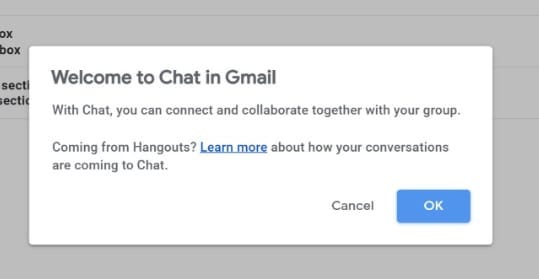
When you had ON the chat option, you will get a notification message from google as shown above. Click OK and Google will start showing its Integrated view by its General instructions. You can also OFF this view by selecting “Class View” under the Quick settings in the settings menu.
The Integrated View will be almost same as the old classic view but you will get additionally spaces for google meetings, spaces, and bubble notifications when some one texts or mail you.
And, Google had announced that this view will be official live from Second Quarter of 2022 and till then if you are not interested in this view you can use the old classic view. Let me know in the comments of what do you think about this Integrated view and do you feel easy to use this.


Comments
Post a Comment